




Moving an Oracle AI database used to begin with one question: how do we move it without disrupting production? That question still matters, but the decision is now broader. Oracle AI Database can run across OCI, AWS, Microsoft Azure, Google Cloud, supported on-premises environments, and Oracle-managed infrastructure inside the customer data center. The migration is therefore not only about where the data lands. It is about where the database should operate, how much of the operating model should change, and how to move without breaking the applications and processes that depend on it.
That makes Oracle database migration an architecture decision before it becomes a data-movement exercise. The target environment, database version, availability design, application dependencies, licensing, security controls, network path, and downtime tolerance all influence the migration method. The safest programs make those decisions before production data moves.
For OCI-led programs, AppsTek provides Oracle Cloud Infrastructure services across assessment, architecture, migration, modernization, and managed operations.
Why are enterprises moving Oracle AI database now?
For years, enterprises moved applications, identity, analytics, and integration platforms to the cloud while leaving Oracle databases on-premises. The database was often the hardest component to move because performance, availability, security, and downtime requirements left little room for error. Oracle multicloud services change that equation by allowing Oracle database services to run within major hyperscaler environments while preserving Oracle Database technology and familiar administration patterns, subject to the selected service and version.
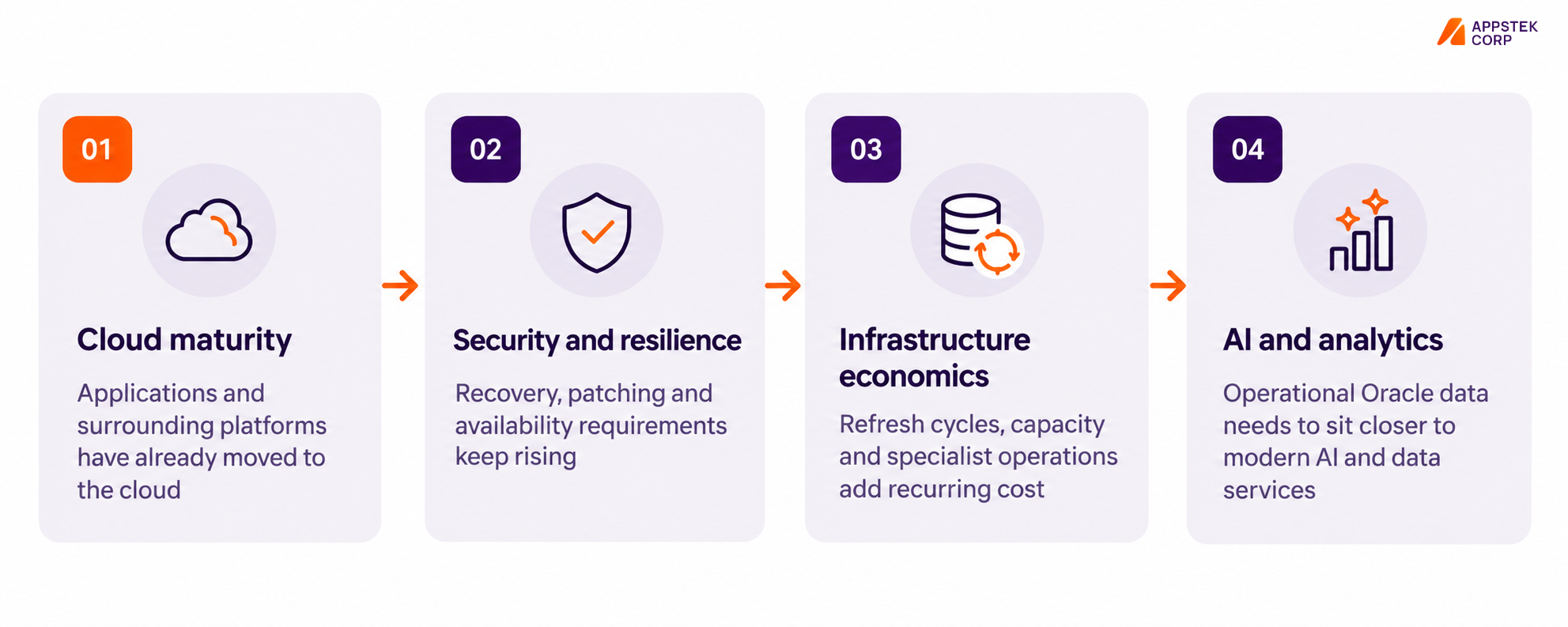
Four pressures now tend to converge on the database layer: cloud strategies are reaching the final infrastructure tier, security and resilience requirements are increasing, infrastructure ownership continues to carry cost, and AI and analytics programs need easier access to operational data. These drivers do not mean every workload should move. They do mean the database should be reassessed in the context of the architecture around it.
What should you decide before an Oracle AI database migration?
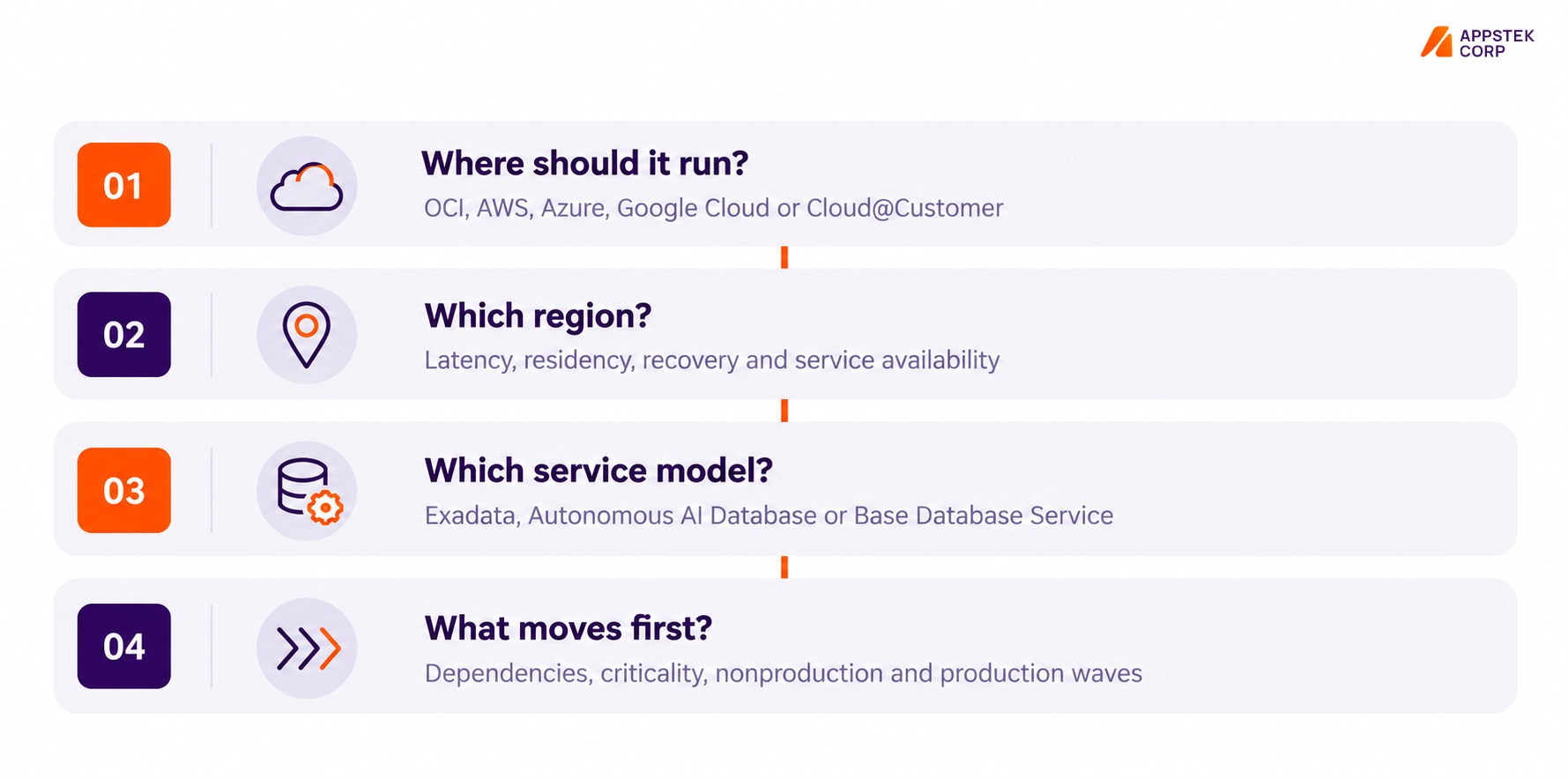
The migration tool should not be the first decision. A successful plan starts by resolving four architecture questions in order. First, decide where the database should run. If the applications already sit mainly in AWS, Azure, Google Cloud, or OCI, placing Oracle AI Database close to that ecosystem can simplify connectivity. Workloads constrained by residency, sovereignty, or latency requirements may instead remain on-premises or use Exadata Cloud@Customer.
Second, select the region based on application latency, user location, data residency, availability design, and current service availability. Third, choose the service model. Exadata Database Service suits workloads that need Exadata performance with greater administrative control. Autonomous AI Database shifts more routine operations to Oracle. Base Database Service provides a flexible option for workloads that do not require Exadata-class infrastructure.
Finally, define what moves first. Build an inventory of database versions, host platforms, sizes, application dependencies, integrations, recovery configurations, compliance constraints, and business criticality. A nonproduction or disaster recovery environment is often a practical first wave because it allows networking, security, tooling, cutover, and rollback procedures to be proven before production.
How do you move Oracle AI Database to a new server or the cloud?
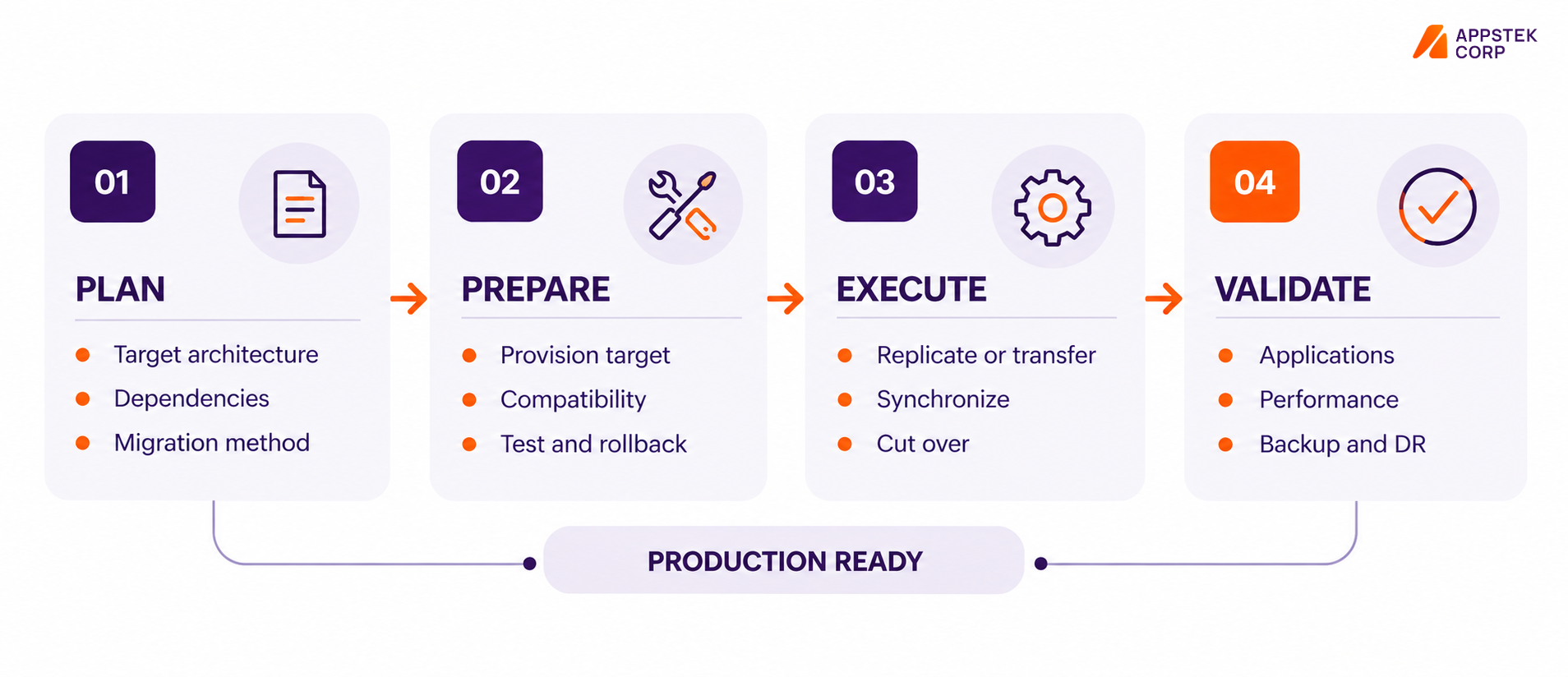
Whether the goal is to move Oracle AI Database to a new server or migrate it to a managed cloud service, the work follows four connected phases. Plan defines the target architecture, dependencies, availability requirements, licensing approach, and migration method. Prepare provisions the target, configures connectivity, checks compatibility, establishes performance baselines, and rehearses both cutover and rollback. Execute transfers or replicates the database, synchronizes changes where required, and performs the application cutover. Validate confirms application connectivity, performance, backup, monitoring, encryption, high availability, and disaster recovery before the new environment is accepted as production-ready.
These phases are intentionally connected. The target architecture determines the migration method. The migration method influences the downtime model. The downtime model determines how cutover and rollback must be rehearsed. Treating the phases as separate workstreams creates gaps precisely where migrations usually fail.
If the database move is part of a wider EBS, PeopleSoft, or JD Edwards transition, the application sequence should be planned with the database. See AppsTek’s Oracle Cloud Migration for EBS, PeopleSoft, and JDE for the application-specific migration layer.
Which Oracle database migration tool should you use?
Oracle provides several migration technologies, but Oracle Zero Downtime Migration (ZDM) and OCI Database Migration (DMS) are central to many cloud migration patterns. ZDM is commonly used when the team wants direct control over the migration host, method, cutover, and rollback. DMS provides a managed workflow that can orchestrate supported Oracle migration technologies and is particularly relevant when the target is Autonomous AI Database and the team wants Oracle to manage more of the migration process. Online and offline patterns depend on the source, target, version, platform, and downtime requirement.
| Decision point | Oracle Zero Downtime Migration | OCI Database Migration |
|---|---|---|
| Operating model | More direct customer control over workflow, host, cutover and rollback | Managed migration service with guided orchestration |
| Typical fit | Exadata, Base Database Service, Cloud@Customer and supported multicloud targets | Supported migrations where a managed workflow is preferred, especially Autonomous AI Database |
| Migration pattern | Physical or logical patterns depending on configuration | Managed orchestration of supported logical and replication patterns |
| Downtime approach | Online migration can reduce cutover downtime for supported configurations | Online migration is available for supported source and target combinations |
| Choose it when | The team wants control over execution mechanics | The team wants Oracle to manage more of the migration workflow |